OneClickLayers
Create the right layer, in the right place, at the right length — with one click.

OneClickLayers Pro
OneClickLayers Pro is a compact workflow panel for Adobe After Effects that makes creating everyday layers faster, smarter and more consistent.
Create Adjustment Layers, Nulls, Shapes, Solids, Text, Cameras and Lights directly from one small panel. OneClickLayers automatically places new layers where they belong and can match their duration to your current selection — so you spend less time creating, moving and trimming layers by hand.
Originally inspired by TurboLayers, first released in 2013, OneClickLayers is a complete rewrite built for a faster and more flexible After Effects workflow.
Smart layer creation
Select one or more layers and click a button.
OneClickLayers can automatically:
- place the new layer above your selection
- match the selected layer's In and Out Points
- span multiple selected layers from the earliest In Point to the latest Out Point
- use the full composition when nothing is selected
Create:
- Adjustment Layer
- Null Object
- Shape Layer
- Solid
- Text Layer
- Camera
- Light
Powerful modifier shortcuts
The same compact buttons can do much more when used with keyboard modifiers.
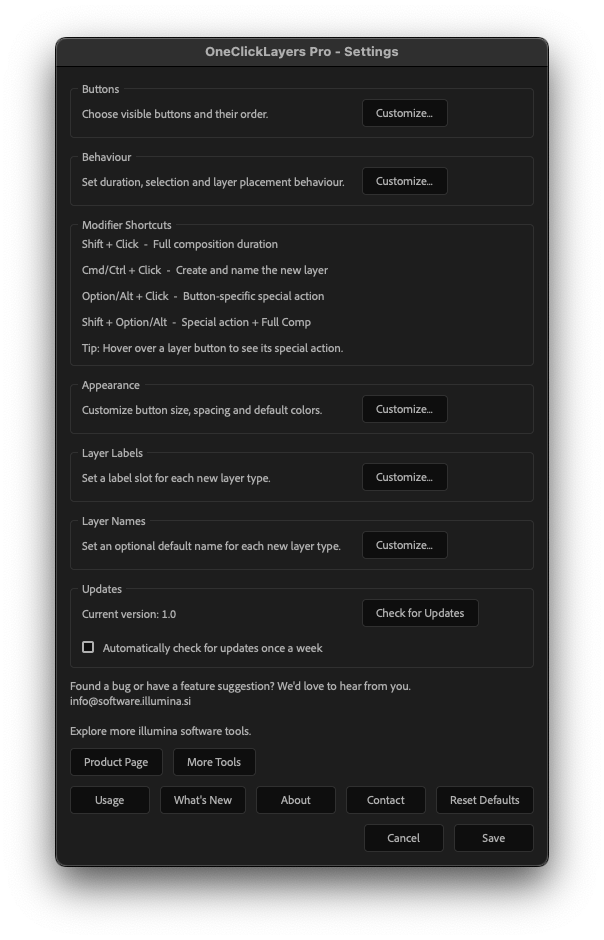
Shift + Click
Create the layer for the full composition duration.
Cmd/Ctrl + Click
Create the layer and enter its name immediately.
Option/Alt + Click
Use a special action specific to that layer type:
- Adjustment Layer — match the Work Area
- Null Object — create a Controller Null and parent the selected layers
- Shape Layer — create a composition-sized rectangle
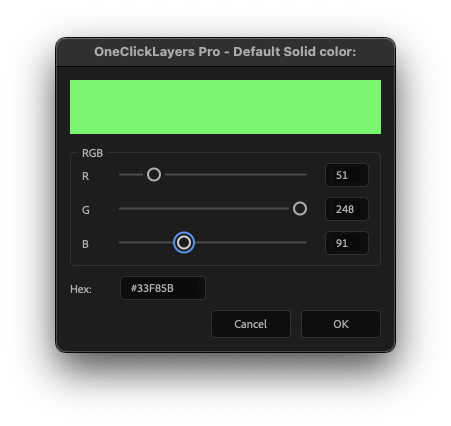
- Solid — choose its color while creating it
- Text Layer — create Paragraph / Box Text
- Camera — create a One-Node Camera
- Light — create a Point Light
Shift + Option/Alt + Click
Combine the special action with full-composition duration.
Modifier keys can also be combined with Cmd/Ctrl + Click when naming a newly created layer.
Customize it to your workflow
OneClickLayers Pro includes a flexible settings system without cluttering the main panel.
Customize:
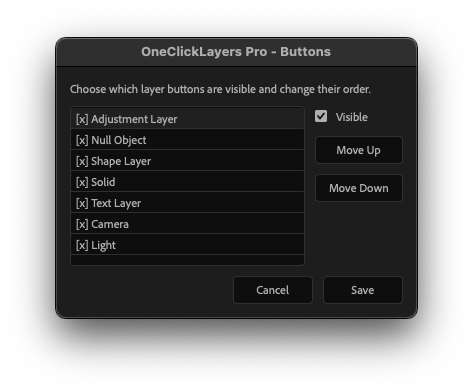
- which buttons are visible
- button order
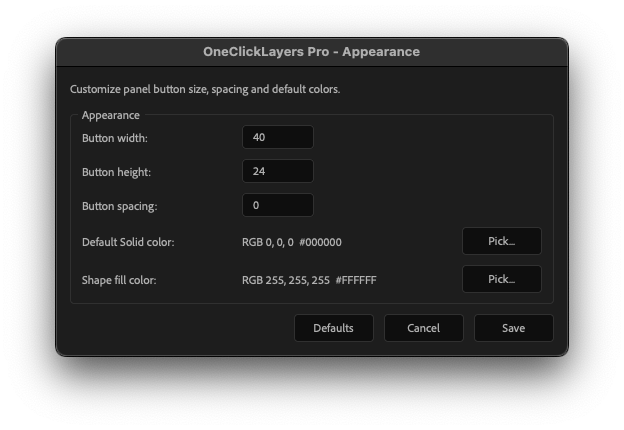
- button size and spacing
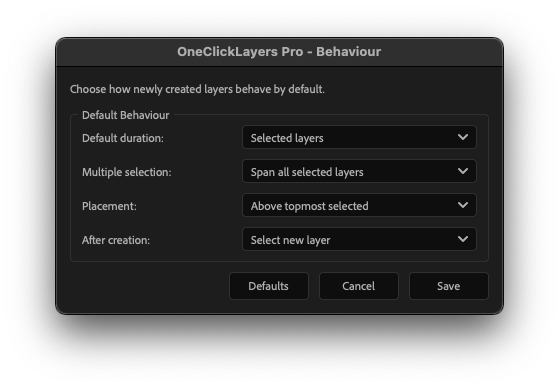
- default duration behavior
- multiple-selection behavior
- layer placement
- what remains selected after layer creation
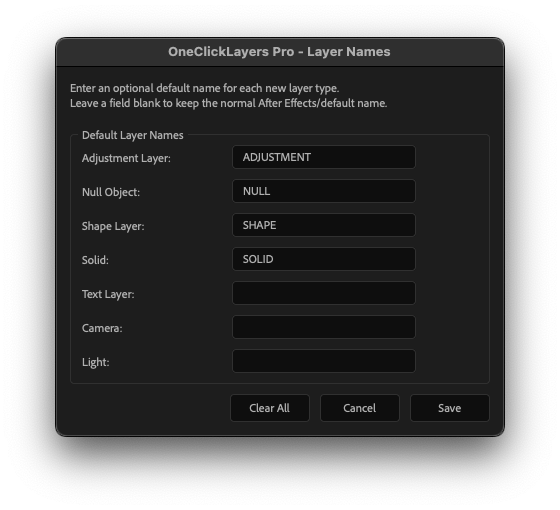
- default layer names
- default Solid color
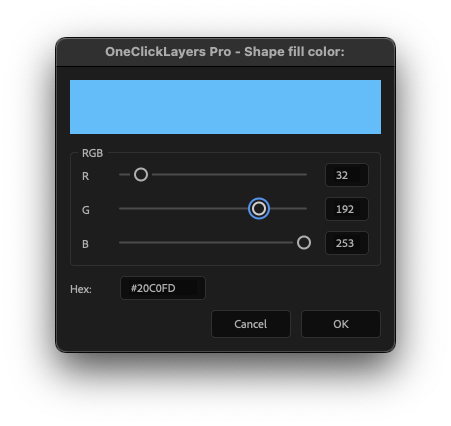
- default Shape fill color
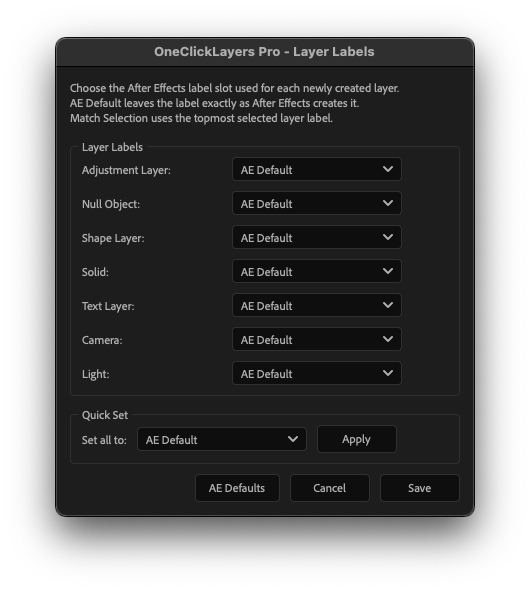
- After Effects label slot for every layer type
Layer labels can use a fixed AE label slot, no label, the normal After Effects default, or Match Selection to inherit the label of the selected layer.
A built-in RGB / HEX color picker makes it easy to define consistent default colors.
Compact by design
The visible panel stays deliberately simple.
OneClickLayers automatically adapts to the available panel width and works in horizontal, vertical or compact layouts, so it can live permanently in your After Effects workspace without taking over your screen.
Built-in update checking
OneClickLayers can manually check whether a newer version is available.
An optional automatic check can also run once a week and is disabled by default.
The updater only checks for a newer version — it never interrupts your work or installs anything automatically.
OneClickLayers Lite is also available
Only need the essential one-click workflow?
OneClickLayers Lite is completely free with no time limit.
Lite includes all seven basic layer types, intelligent placement and duration matching in the same compact panel.
Installation
Automatic installation
In After Effects choose:
File → Scripts → Install ScriptUI Panel...
Select the supplied OneClickLayers .jsxbin file and restart After Effects.
Then open the panel from:
Window → OneClickLayers Pro
Manual installation
Copy the supplied .jsxbin file into the After Effects:
Scripts / ScriptUI Panels folder, restart After Effects, and open OneClickLayers Pro from the Window menu.
Found a bug or have a feature suggestion?
We'd love to hear from you.
illumina software
Tools for creative professionals.
OneClickLayers Lite
The essential one-click layer creator for After Effects — free.
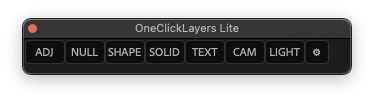
OneClickLayers Lite is a lightweight Adobe After Effects panel for creating the layers you use every day — faster.
Select one or more layers, click the layer type you need, and OneClickLayers automatically creates it in the right place and at the right duration.
No subscriptions. No time limit. Just a small workflow tool designed to save clicks.
One click, smarter placement
Create:
- Adjustment Layer
- Null Object
- Shape Layer
- Solid
- Text Layer
- Camera
- Light
When a layer is selected, the newly created layer is automatically placed above it and matches its In and Out Points.
When multiple layers are selected, OneClickLayers spans the entire selection — from the earliest In Point to the latest Out Point.
With nothing selected, the new layer uses the full composition duration.
Compact and unobtrusive
OneClickLayers Lite is designed to stay out of the way.
The panel automatically adapts to the available space in your After Effects workspace and can be used horizontally, vertically or in a compact docked layout.
Built-in update checking
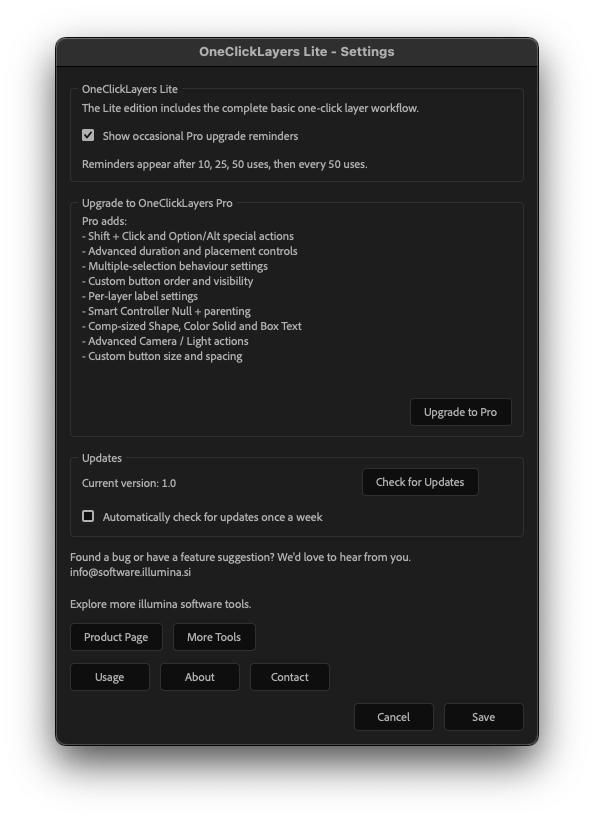
You can manually check for new versions directly from Settings.
Optional weekly update checking is also available and disabled by default.
Need more control?
OneClickLayers Pro adds advanced workflow features including:
- modifier-key actions
- Create & Name
- Controller Null creation and parenting
- custom Solid and Shape colors
- full-composition and Work Area creation
- custom default layer names
- customizable layer labels
- Match Selection labels
- custom button order and visibility
- duration and placement controls
- selection behavior
- additional workflow customization
OneClickLayers Lite remains fully usable and free with no time limit.
Installation
In After Effects choose:
File → Scripts → Install ScriptUI Panel...
Select the supplied OneClickLayers .jsxbin file and restart After Effects.
Then open the panel from:
Window → OneClickLayers Lite
Alternatively, copy the .jsxbin file manually into the After Effects Scripts / ScriptUI Panels folder and restart After Effects.
Found a bug or have a feature suggestion?
We'd love to hear from you.
illumina software
Tools for creative professionals.